













excerpta plural noun
ex·cerp·ta |ek-ˈsərp-tə|
- broadly :
- brief bits of writing
- often :
- clippings or résumés
- also :
- a book tracker
Excerpta will be back on the App Store soon. If you already have the app, nothing changes.


Keep track of your books, save the quotes that stay with you, and see how your reading year is going.
For iPhone and iPad.
Each book has one page for your quotes, your notes, photos of where you read and the characters you tagged, in the order they happened.
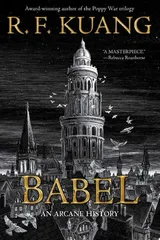
R. F. Kuang
56 Pages
The footnotes are not decoration. Read every one.

Languages aren't just made of words. They're modes of looking at the world.
The whole thesis of the book, said out loud on page 122.


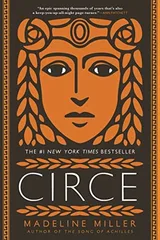
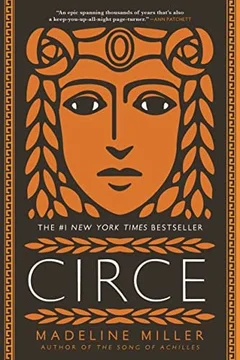
Madeline Miller
76 Pages
But in a solitary life, there are rare moments when another soul dips near yours, as stars once a year brush the earth.
The loneliest sentence in the book and it is about company.
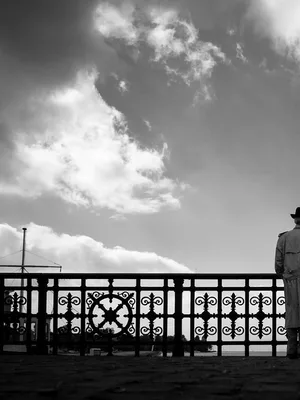

Every chapter is a myth retold from the side of the woman it happened to.


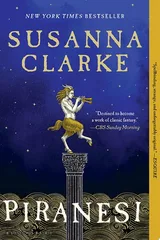
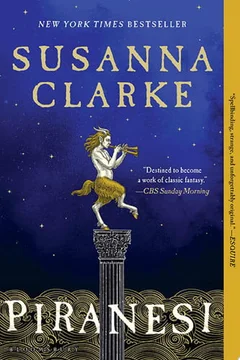
Susanna Clarke
52 Pages
Journal entries with invented dates. The form is doing the work.
The Beauty of the House is immeasurable; its Kindness infinite.
The first line and the last line of the book, and they mean different things by the end.


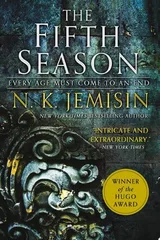
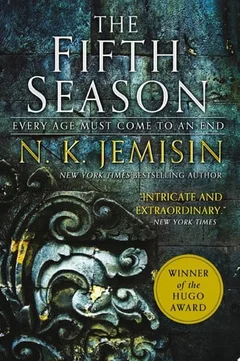
N. K. Jemisin
57 Pages
Second person for Essun, third for Damaya and Syenite. The reveal makes the grammar the plot.
Let's start with the end of the world, why don't we? Get it over with and move on to more interesting things.
The whole book is in this line. She tells you how it ends and it still lands.
This week's most-loved quotes, added by readers.
Languages aren't just made of words. They're modes of looking at the world.
 Babel R. F. Kuang
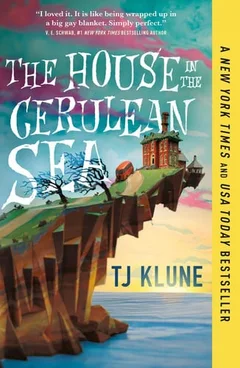
A home isn't always the house we live in. It's also the people we choose to surround ourselves with.
 The House in the Cerulean Sea TJ Klune
The Beauty of the House is immeasurable; its Kindness infinite.
 Piranesi Susanna Clarke
Switch between Books, Authors, Characters and Series with one tap. Make your own shelves, and put a book on as many as you like.


Point the camera at a printed page and tap the paragraph you want. Add a highlight color, a note, the character who said it and how it made you feel.


Add an EPUB, CBZ or CBR file to any book and read it in Excerpta.

Turn pages with a slide or a page curl, and see the time left in the chapter.


Manga reads right to left. Save your own presets next to the built-in ones.


Select a passage, or a speech bubble in a comic, and keep it as a quote with its page.
Close a book mid-chapter, and it opens at the same line next time. Your progress logs as you read.
Choose where a tap turns the page, or turn tapping off and swipe.
On iPad and an open iPhone Duo, comics show as spreads and books can run in two columns.
Add your book server and browse it from the library, next to Authors and Series.

Start the timer when you sit down, and set the page when you stop. It works for print, e-books and audiobooks. Set a goal for books or pages this year, or for how far to get in one book.


See your pace, pages, genres, formats, moods and ratings for a month, a year or all time. Choose which stats show, and in what order.


Search finds any book, author, series, quote or note you saved, and matches tags, chapters and characters too. For something new, browse the Apple Books charts for every genre, or what's trending on Hardcover.


Import from Kindle, Kobo, Apple Books, Goodreads and StoryGraph, or from any app with the CSV importer.
Your library stays the same on your iPhone and iPad (requires iCloud).
Sign in with Hardcover to sync your library, see community ratings and more Discovery lists, and track series.
Log how a book makes you feel as you read. Moods can save to Apple Health.
Turn on location to see where you read each book, on a map.
Show your quotes one at a time while your iPhone charges.
See a quote or your weekly progress on the Home Screen and the Lock Screen.
Choose an app icon in your favorite highlight color.
Each reread gets its own timeline, so you can compare readings.
Tag quotes your own way, then find them again by tag.
Export your whole library to Markdown and CSV at any time.
Scan a page or start the screen saver from Shortcuts or the Action button.
Your library is stored on your devices and in your own iCloud.
ex·cerp·ta |ek-ˈsərp-tə|
Free for seven days with the yearly plan.