
Excerpta reads your progress from KOReader's sync server, the same one KOReader uses to keep your devices in step. Sign in with your KOReader sync login, pair a book by picking the same ebook file, and every time you open Excerpta, the pages you read on the e-reader land in your reading log, your calendar, and your stats.
Guide
Sync Your KOReader Progress to iPhone
Read on your e-reader, and have every page you turn show up in your reading log, calendar, and stats on your iPhone.
On your e-reader
Middlemarch.epub · 42%
Sync server
sync.koreader.rocks
KOReader's free server, or your own. It only stores your place in each book and the device you read on.
In Excerpta
MiddlemarchGeorge Eliot
Synced 42% from Kobo Libra 2, 2 hours ago
From KOReader to Excerpta
-
Turn On Progress Sync
On the e-reader, open KOReader's Tools menu, then Progress sync, and register or log in. Leave document matching on Binary, the default.
-
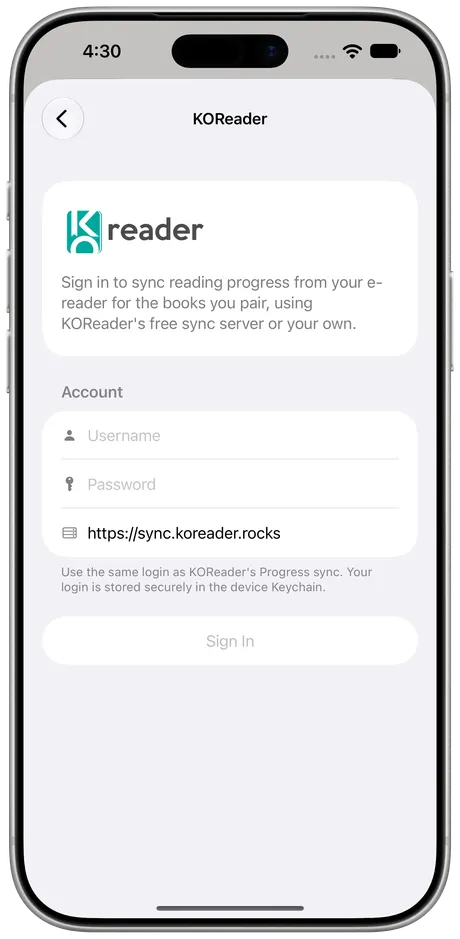
Sign In in Excerpta
Go to Settings → KOReader and use the same username and password. Leave the server as it is, or type in your own.
-
Pair Each Book
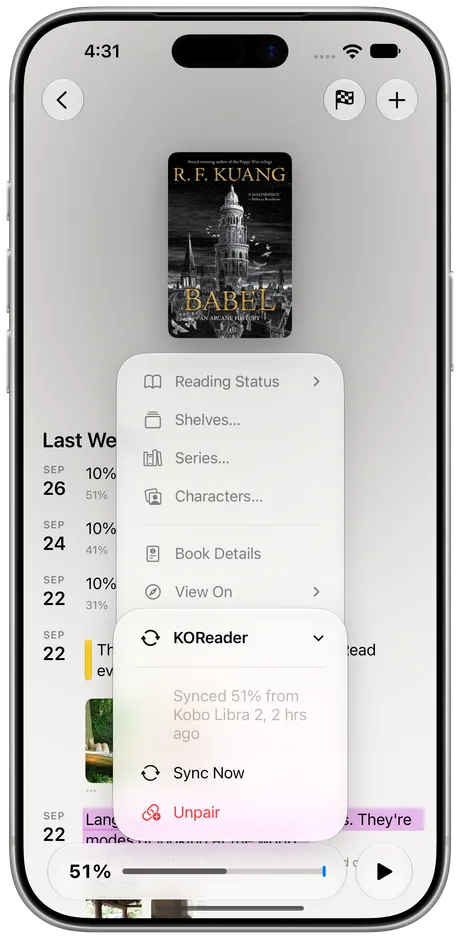
Open the book, choose Pair with KOReader from its menu, and pick the same ebook file that's on the e-reader.


What Comes Over
Your Progress
Each sync adds a row to the book's timeline, dated at your last page turn.
Calendar and Streak
Days you read on the e-reader count, just like days you read on paper.
Stats and Widgets
Your progress feeds your stats and your Home Screen widgets.
Your Own Server
Point Excerpta at your own KOReader sync server if you run one.
It works one way, from KOReader to Excerpta. Progress you log in Excerpta doesn't go back to the e-reader, and syncing never marks a book as finished: that's still yours to do. Highlights made in KOReader aren't part of it yet.
When It Syncs
Whenever you open Excerpta or come back to it, at most every five minutes. Settings → KOReader → Sync Now pulls straight away, and so does Sync Now in a book's menu.
Percent or Pages?
KOReader syncs where you are as a percentage, and its page count changes with your font size. So when you pair an EPUB, Excerpta offers to track that book by percent, which always matches the e-reader exactly. Page tracking works too, as long as you set the page total yourself to match KOReader's.
Your Books Stay Put
Pairing reads the ebook file on your phone to work out which book KOReader is talking about. The file is never uploaded, and the sync server only stores your place in it, never the book itself.
Questions
Do I need my own sync server?
No. KOReader's free server works out of the box. If you run your own, type its address in Settings → KOReader.
Which e-readers does it work with?
Any device running KOReader, whether that's a Kobo, a Kindle, a PocketBook, or an Android tablet.
Why do I have to pick the ebook file?
KOReader keeps progress under an ID worked out from the file itself. Excerpta reads the same file on your phone to find that ID, and never uploads it.
Does it sync highlights?
Not yet. It syncs where you are in each book.
Will it mark a book as finished?
No. Syncing only moves your progress. Finishing a book is up to you.
Where can I get Excerpta?
On the App Store, for iPhone and iPad.
Your next favorite quote is waiting to be remembered.
For iPhone and iPad.
Download on the App Store