
The easiest way to save a quote from a physical book is to photograph the page and pull the words out on your phone. In Excerpta, you point the camera at the page, tap the paragraph you want (or drag the highlighter across just a few words), and it's saved to that book with the page number. Nothing touches the paper, so it works just as well for library books and anything you'd rather not write in.
Guide
How to Save Quotes From a Physical Book
Photograph the page, tap the paragraph, and keep it with the page number, a note, and how it made you feel. The book stays clean.
It is a truth universally acknowledged, that a single man in possession of a good fortune, must be in want of a wife.Still the best opening line. Every clause is doing a job.
From the Page to Your Library
-
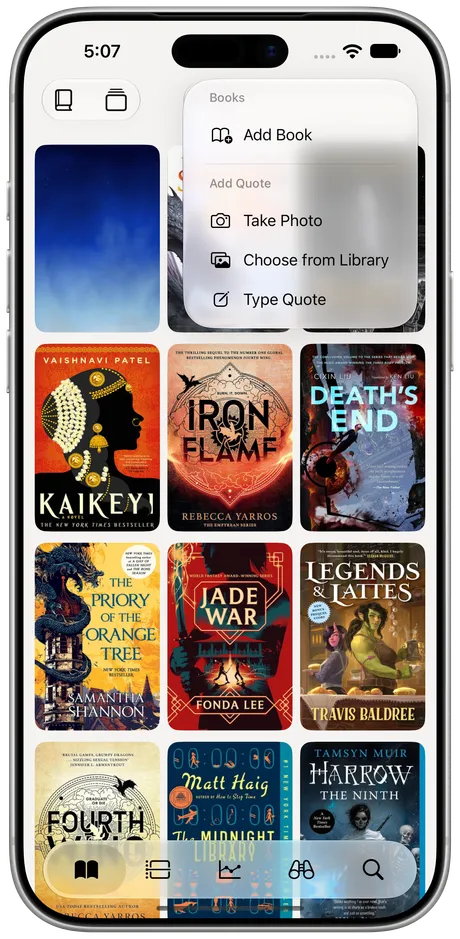
Photograph the Page
Tap + and choose Take Photo. Already took one? Choose from Library instead, a few pages at once.
-
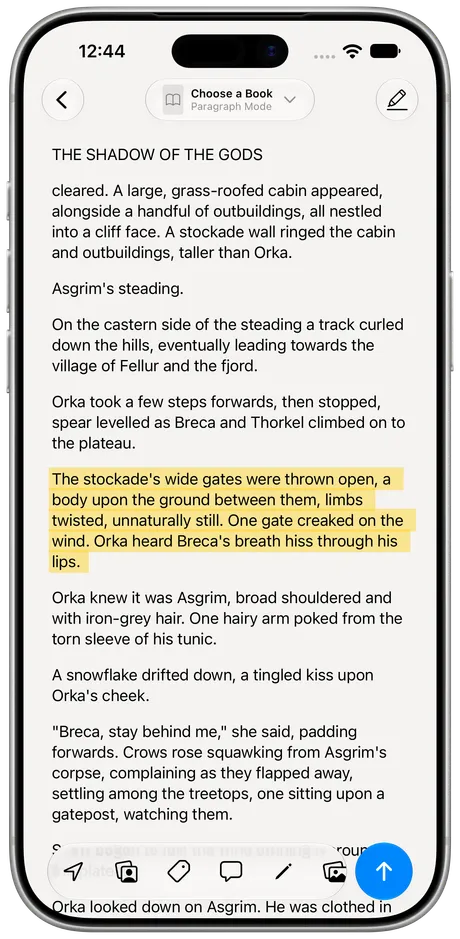
Tap What Stopped You
The text is read right on your phone. Tap a paragraph to keep it whole, or drag across just the words you want.
-
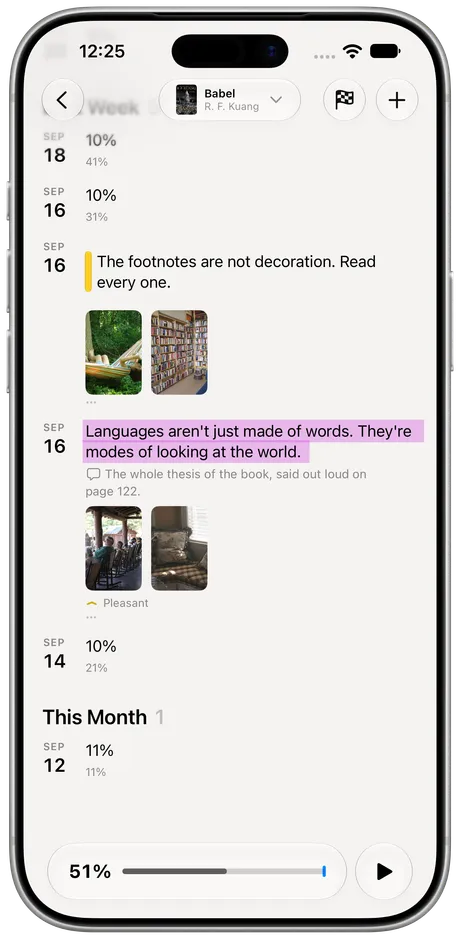
Find It on the Book
The quote lands on that book's timeline with its page, in the order you read it.


Also fromShortcutsThe Action ButtonTyping It In
Keep the Whole Paragraph, or Just the Line
Tapping keeps the paragraph as it's printed. Dragging the highlighter keeps only what you drag across, which is handy when the good part is one clause in the middle of a long sentence.
It is a truth universally acknowledged, that a single man in possession of a good fortune, must be in want of a wife. However little known the feelings or views of such a man may be on his first entering a neighbourhood, this truth is so well fixed in the minds of the surrounding families, that he is considered the rightful property of some one or other of their daughters.
It is a truth universally acknowledged, that a single man in possession of a good fortune, must be in want of a wife.
Add What You'd Otherwise Forget
A quote on its own loses its context fast. The bar under the page adds the rest before you save it: the page or chapter, who said it, your own tags and a note, a fix for any word the camera misread, photos of where you were, and how it made you feel. Try it:
I could easily forgive his pride, if he had not rnortifiedmortified mine.
She's joking. Mostly.

PleasantElizabeth BennetFirst Impressions
Tap an icon to add it to the quote.
Quotes that don't belong to any book (something a friend said, a line from a film) go in your Commonplace book.
Other Ways to Do It
You don't need an app for this, and plenty of readers don't use one:
- A notebook. The original commonplace book. Slow, lovely, and hard to search later.
- Sticky tabs. Great while you're reading, gone the moment you lend the book out.
- Live Text in Photos. Your iPhone can copy the words out of any photo of a page. It's quick, but the quote ends up in Notes with no book or page attached.
Excerpta does the same camera trick, then keeps the quote with its book, its page, and everything you added around it.
Questions
Does it work with library books?
Yes. You're only taking a photo, so the book goes back exactly as you borrowed it.
Does the photo leave my phone?
No. The text is read on your iPhone, and your library lives on your phone and in your own iCloud.
Can I use a photo I already took?
Yes. Pick it from Photos, a few pages at once.
What about e-books?
Excerpta imports your highlights from Kindle, Kobo, and Apple Books, so they sit right next to the ones you scanned.
Can I get my quotes back out?
Any time. Export writes one Markdown file per book, ready for Obsidian, Bear, or Notes, and export is always free.
Where can I get Excerpta?
On the App Store, for iPhone and iPad.
Your next favorite quote is waiting to be remembered.
For iPhone and iPad.
Download on the App Store